Showing posts with label software. Show all posts
Wednesday, April 14, 2010
Photoshop CS5 - so what's new?
Labels:
Adobe,
announcement,
Photoshop,
software
0
comments
Photoshop CS4 was not all that hot, and Adobe knows it as well. Many photographers have criticized the software giant of churning out new versions of Photoshop too quickly and increasing the prices, without significant improvements in the versions. Worse still, Adobe received the short end of the stick by refusing to integrate RAW support for newer cameras such as the Canon EOS 5D Mk II for Photoshop CS3, in an apparent move to "convince" customers to upgrade. As far as we know, sales of Photoshop CS4 was not as spectacular as Adobe wanted it to be.
Now Adobe is back with Photoshop CS5. Has the company wizened up to the consumer's requests and are they listening to feedback? Well, it's difficult to say for sure without running through the software, but based on the list of new features, the new Photoshop CS5 certainly looks very interesting for those of us on the previous versions of Photoshop. Rob Galbraith has a nice summary of the new features in CS5, so be sure to check it out!
Thursday, April 8, 2010
Sneak peak at Photoshop CS5 new features
Labels:
Adobe,
announcement,
software,
Youtube
0
comments
For a digital photographer, having good Adobe Photoshop knowledge is an essential skill set to improving the images post-exposure. And nothing even comes close to Adobe when it comes to digital imaging software, with incredible tools on hand to tackle every conceivable problem. And talking about "conceivable problem", you've got to give it to the Adobe guys to think of "every conceivable problem", because they seem to be able to conjure up new tools when you think that the current version of Photoshop is as powerful as it can get!
So with Adobe Photoshop CS5 launching round the corner on 12th April (that's next Monday), what can we expect from Adobe this time around. Well, Adobe has been teasing photographers with sneak previews of some new features, and they look pretty neat. I'll definitely look forward to the Content-Aware Fill as a key motivation for upgrade, seeing how much time it'll save me from cloning (watch the video - this new technology makes the Healing Brush look so yesterday!).
The Puppet Warp tool (strange name eh?) also looks fascinating, and you'd might think it's a trivial tool by watching the first half of the video. But keep on watching, and you'd start to realize the potential of the Puppet Warp tool for photographers and designers alike.
P.S: My friend just notified me of a spoof on the Content-Aware Fill feature. It's pretty hilarious, but not related to photography so I'm not putting up a direct link. If you're open for a good laugh, check out http://www.youtube.com/watch?v=3ScWu7pG7r0
So with Adobe Photoshop CS5 launching round the corner on 12th April (that's next Monday), what can we expect from Adobe this time around. Well, Adobe has been teasing photographers with sneak previews of some new features, and they look pretty neat. I'll definitely look forward to the Content-Aware Fill as a key motivation for upgrade, seeing how much time it'll save me from cloning (watch the video - this new technology makes the Healing Brush look so yesterday!).
The Puppet Warp tool (strange name eh?) also looks fascinating, and you'd might think it's a trivial tool by watching the first half of the video. But keep on watching, and you'd start to realize the potential of the Puppet Warp tool for photographers and designers alike.
P.S: My friend just notified me of a spoof on the Content-Aware Fill feature. It's pretty hilarious, but not related to photography so I'm not putting up a direct link. If you're open for a good laugh, check out http://www.youtube.com/watch?v=3ScWu7pG7r0
Wednesday, February 10, 2010
Apple launches Aperture 3
Labels:
announcement,
Apple,
software
0
comments
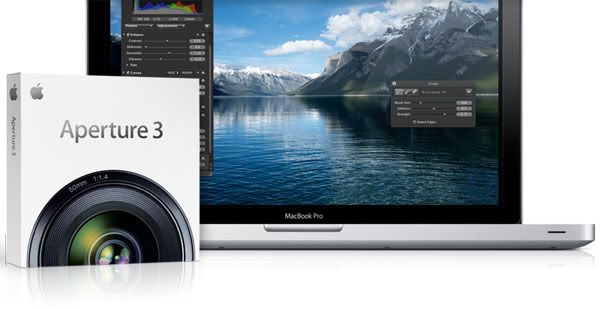
Apple has launched Aperture 3 - the latest incarnation of its popular photo management software. The latest version includes a host of improvements such as a new Faces and Places option that enables Face detection and geotagging - a feature first found in iPhoto 09'. The slideshow can now also combine both photos and HD videos. Build your slideshow with six Apple designed themes or choose your own transitions, background, borders and titles, and even add your own soundtrack.
More importantly, Aperture 3 will appeal to photographers with its new Brushes feature that allows you to paint effects onto your images without the complexity of layers or masks. There are a total of 15 effects, including Dodge, Burn, Polarize and Blur. Adjustment Presets feature lets you apply a specific style or look to the entire image with just a click, much like a filter or a film effect. Mac users who already own Aperture will be able to upgrade for US$99, while new customers can buy it for US$199.
Visit Apple's website for more information.
More importantly, Aperture 3 will appeal to photographers with its new Brushes feature that allows you to paint effects onto your images without the complexity of layers or masks. There are a total of 15 effects, including Dodge, Burn, Polarize and Blur. Adjustment Presets feature lets you apply a specific style or look to the entire image with just a click, much like a filter or a film effect. Mac users who already own Aperture will be able to upgrade for US$99, while new customers can buy it for US$199.
Visit Apple's website for more information.
Tuesday, January 12, 2010
Plan your studio set-up on your iPhone
Labels:
announcement,
iPhone,
software,
studio
0
comments
Janis Lanka and Isa Goksu have released Strobox, a (free) app for the iPhone. You can create lighting diagrams directly on your precious (iPhone, that is). There are more than 25 lighting equipment including backdrops, strobes, softboxes, umbrellas, hairlights and diffusion panels. You can simply drag, position and rotate the equipment to tweak your set-up. The software even generates PNG files that you can share via email.
My main gripe is that the canvas size is too small for more lights for a more complex set-up, limited layout space doesn’t allow you to place more subjects (two is getting crowded). And those whom I showed Strobox to wondered if the app can show the effect of the lighting once the equipment is “finalized”. C’mon guys… it’s a free app! We can expect that in the paid version perhaps?
http://itunes.apple.com/app/strobox/id339112815
Subscribe to:
Posts (Atom)